Call sheets in minutes, not midnight hours.
InteScene builds tomorrow's call sheet from your live shooting schedule. Cast, crew, scenes, locations and call times filled in automatically. Review it, brand it, send it. Done before dinner, not after wrap.
Free plan forever · 14-day free trial on paid plans · No credit card required
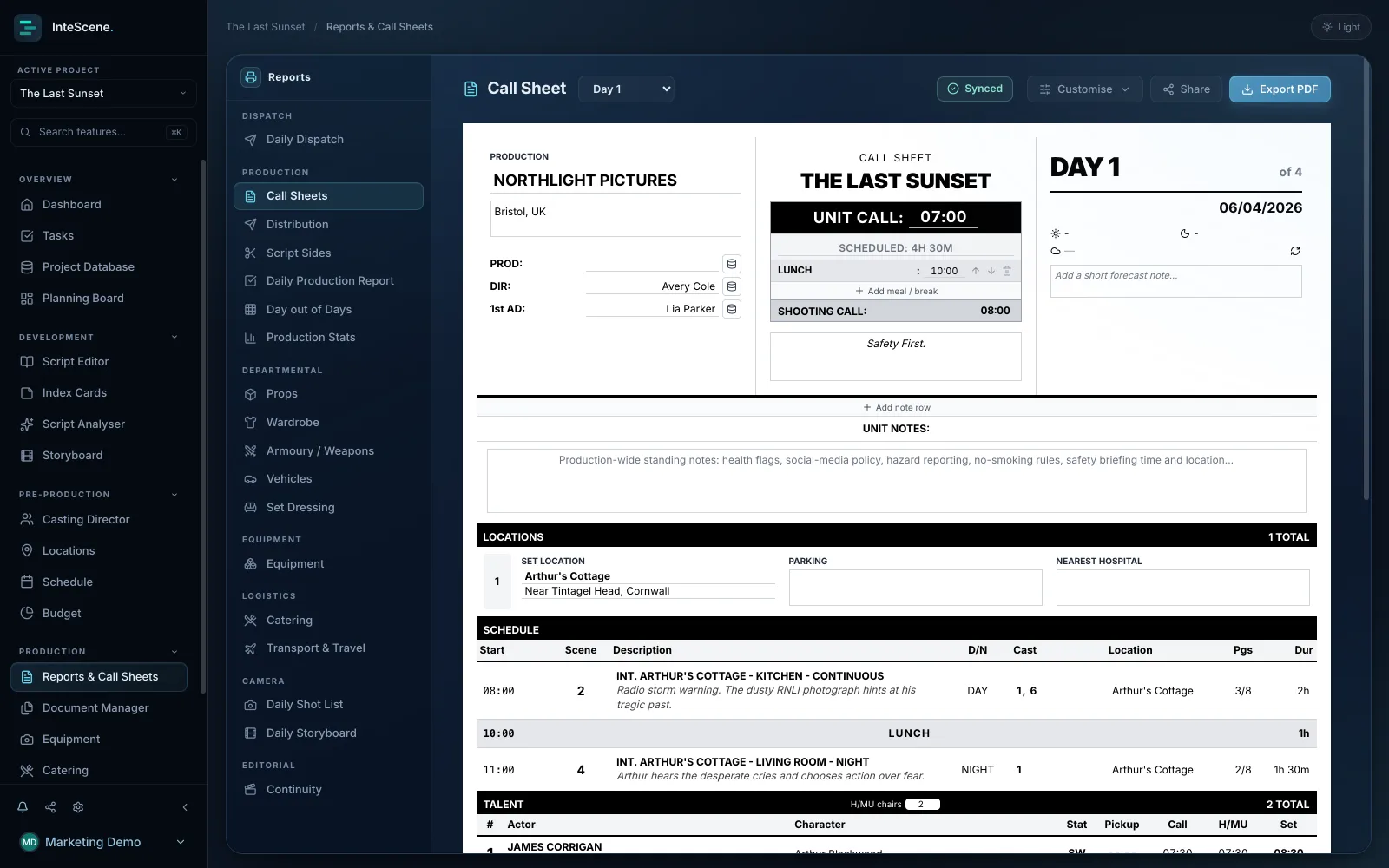
Auto-filled from your schedule
Scenes, cast, times and locations pull straight from your stripboard. No re-typing, no copy-paste errors, no stale versions.
Sent to cast & crew in one click
Portal members always hold the current version instead of hunting through email for FINAL_v7. Personalised daily dispatch, which sends each person exactly the reports their role needs, comes with Studio.
Edit the day on the sheet
Drag scenes, add breaks or your own entries, and reorder talent and locations right on the sheet; the schedule updates too. Custom call sheet branding comes with Production.
Change the schedule. The call sheet follows.
Most call sheet tools are templates you fill in by hand. InteScene is connected software: when a scene moves or a location changes, tomorrow's sheet rebuilds from the live schedule and you approve it.
Import your script
AI breakdown tags cast, props, locations and wardrobe scene by scene, in minutes.
Build the shoot day
Drag scenes onto the stripboard. Day-out-of-days and cast availability update live.
Generate the call sheet
One click and it's filled. Adjust call times, add notes, hit send.
Built by people who've made the 1am version by hand.
Every field is editable, the layout rebuilds block by block, and the finished sheet feeds crew check-in on the day. Studio-grade paperwork from a one-person office.
What a call sheet generator does
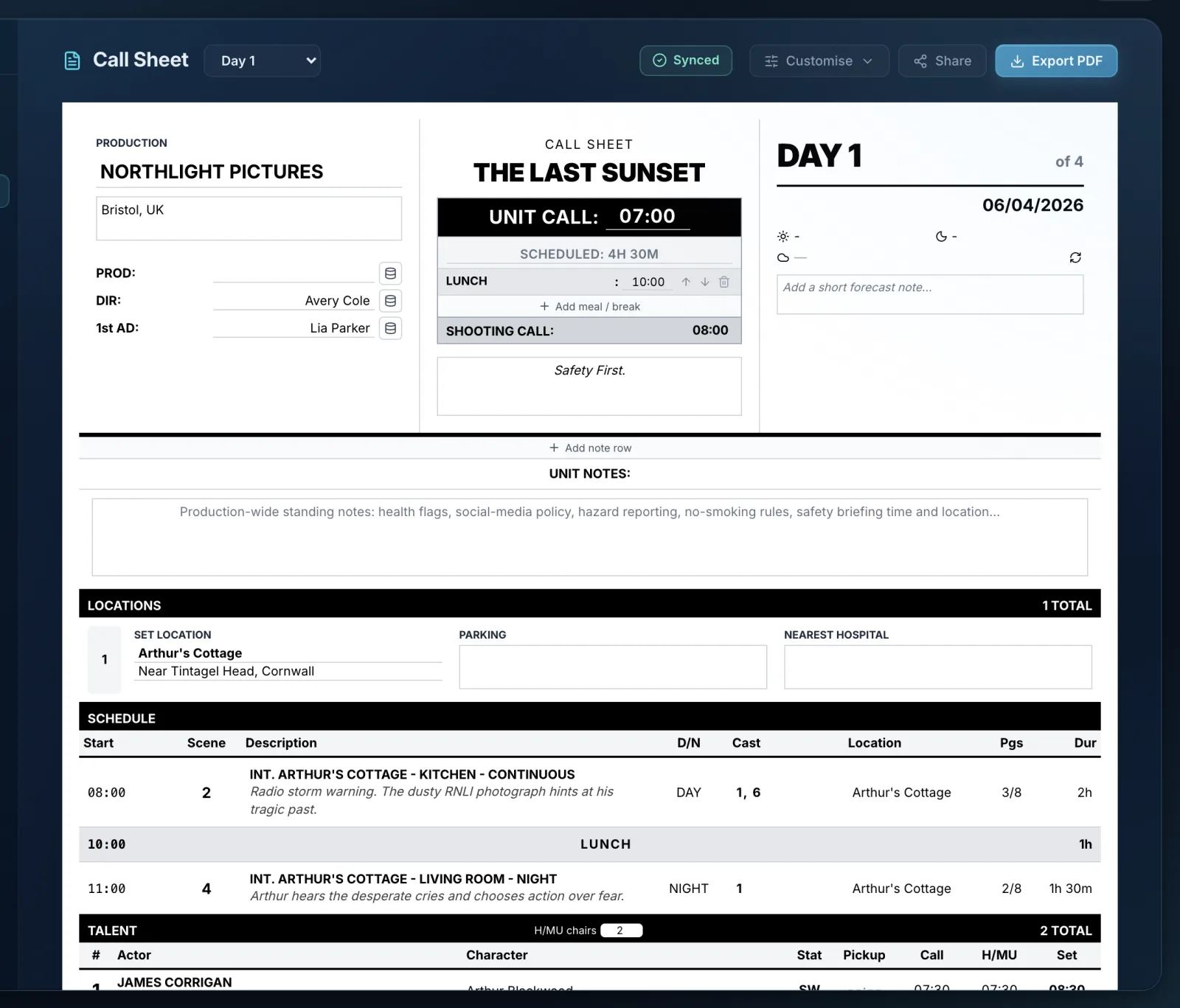
A call sheet is the single most important daily document on a shoot, issued the night before each shooting day to tell everyone where to be, when, and what is being shot. Building one by hand means re-keying the schedule, cast, crew, weather and locations into a word processor or spreadsheet every evening. InteScene's call sheet assembles itself from data you have already entered: the day's schedule and breakdown supply the scene list, full cast list and crew by department, while the location records, sunrise and sunset times, weather forecast, call and meal times, nearest hospital and safety notes fill in the rest. Because it reads from the live production, it stays current when the schedule changes rather than going stale.
How InteScene's call sheet generator works
Pick a shoot day and the document assembles itself, then every field is hand-editable through a modular drag-and-drop layout editor with reusable templates, and your edits survive a refresh. The generator ships with the full distribution stack: redaction to hide personal phone numbers, emails and home addresses before sending; per-recipient personalised PDFs with a name watermark for leak-tracing; an unmask-own-contact option so each person sees only their own details; QR check-in codes so crew clock in by scanning their own call sheet; and revision-colour version control (White, Blue, Pink and on) that advances the colour with a REVISED banner each time you re-send a day, matching real production convention. Daily Dispatch can then send each crew member exactly the reports their role needs in one personalised email. The day itself is editable on the sheet: drag scenes into order, add a break, a company move or your own entry with its own start time, and add or reorder talent and locations. On a scheduled day those changes go back to the schedule; with no schedule at all, start a standalone call sheet that holds its own day.
What it replaces
InteScene's call sheet generator replaces the nightly ritual where a 1st AD or coordinator rebuilds a call sheet from scratch in a word processor or spreadsheet, re-keying the schedule, cast, weather and locations every evening. Here the sheet generates from data already entered and stays current when the schedule shifts. It is part of a wider production-paperwork engine that also produces sides (the day's scenes extracted for actors), Daily Production Reports, Day-out-of-Days grids, production statistics and departmental reports from the same live schedule and breakdown, so the whole nightly paperwork run comes from one source of truth.
Quick answers
Can I generate a call sheet automatically?
Yes. In InteScene you pick a shoot day and the call sheet assembles itself from the day's schedule and breakdown, pulling in call and meal times, the full cast and scene list, crew by department, locations, sunrise and sunset, the weather forecast, the nearest hospital and safety notes. Every field is then hand-editable, and your edits survive a refresh.
Does the call sheet update when the schedule changes?
Yes. Because the call sheet is generated from your live schedule and breakdown rather than typed into a separate document, it stays current when the plan shifts. Re-sending the same day advances the revision colour (White, Blue, Pink) with a REVISED banner and keeps immutable snapshots of each issued version. It works the other way too: reorder scenes or add a break on the sheet and the schedule updates.
Can I make a call sheet without a schedule?
Yes. Start a standalone call sheet and build the day on the sheet itself: scenes, breaks, custom entries, talent and locations. The Free plan makes as many as you like: download each as a PDF, or email them to up to 10 people a month. Paid plans build sheets from your schedule and send to your whole crew, with confirmations.
Can I hide crew members' personal contact details on the call sheet?
Yes. InteScene includes redaction to hide personal phone numbers, emails and home addresses before sending, plus per-recipient personalised PDFs where each person can see only their own details. Each personalised PDF also carries a name watermark for leak-tracing.
How does QR check-in on the call sheet work?
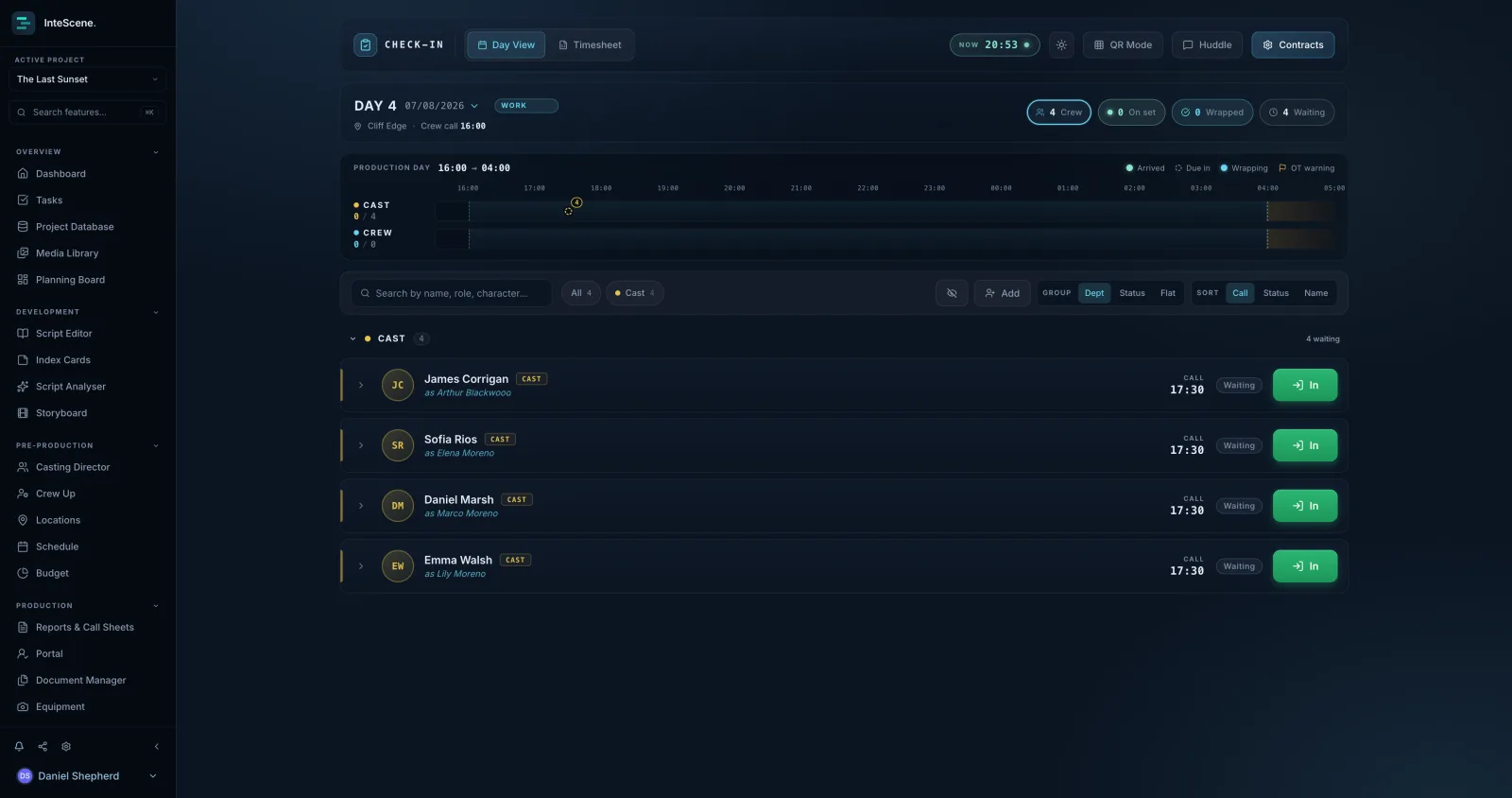
Each recipient's call-sheet PDF can carry their own QR check-in code, so crew clock themselves in by scanning their own sheet, with no app and no login. Logged hours then flow into payroll-ready timesheets in InteScene's crew check-in tool.

Tonight’s call sheet, done by wrap.
Made by filmmakers, for filmmakers. One connected workspace instead of a folder of templates.