A/V scripts that make it to approved.
Write the two-column script, cut it into an animatic with sound, run client review rounds against numbered versions, and build the PPM book from the same data. One workspace from first draft to delivered spot.
Free plan forever · 14-day free trial on paid plans · No credit card required
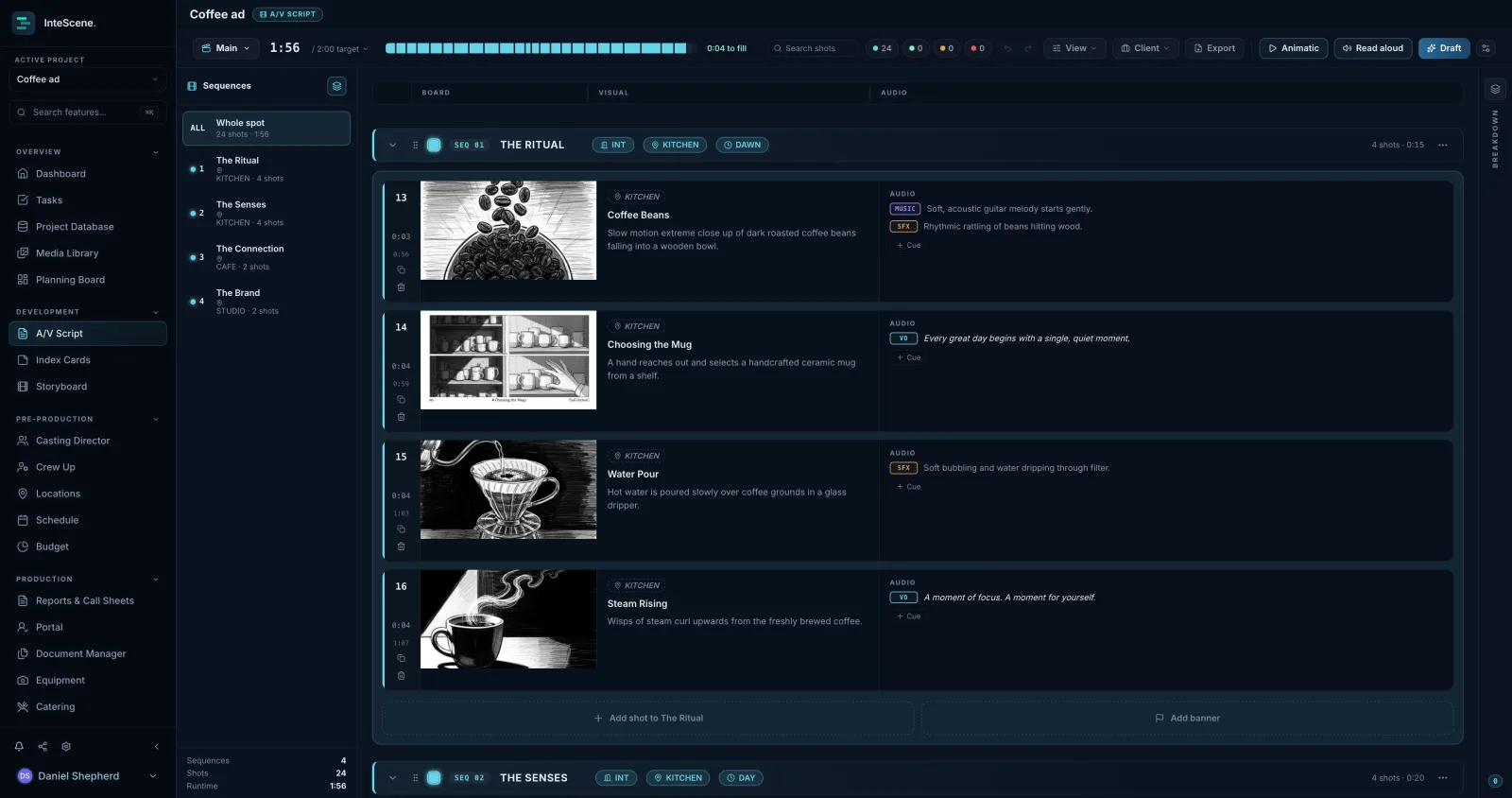
Real two-column scripting
Video and audio side by side with running timecode per row, colour-coded sequences, and title, graphic and transition rows where they belong. Cutdowns and alternates live as their own spots.
Client rounds without the email chain
A review loop with numbered versions: the client comments against V3, you resolve against V3, and nobody's approving a PDF from two rounds ago.
The PPM book builds itself
Boards, cast, locations, wardrobe and schedule pull into a pre-production meeting book (the deck agencies expect before the shoot) instead of a week of deck-building.
From board to animatic to shoot day.
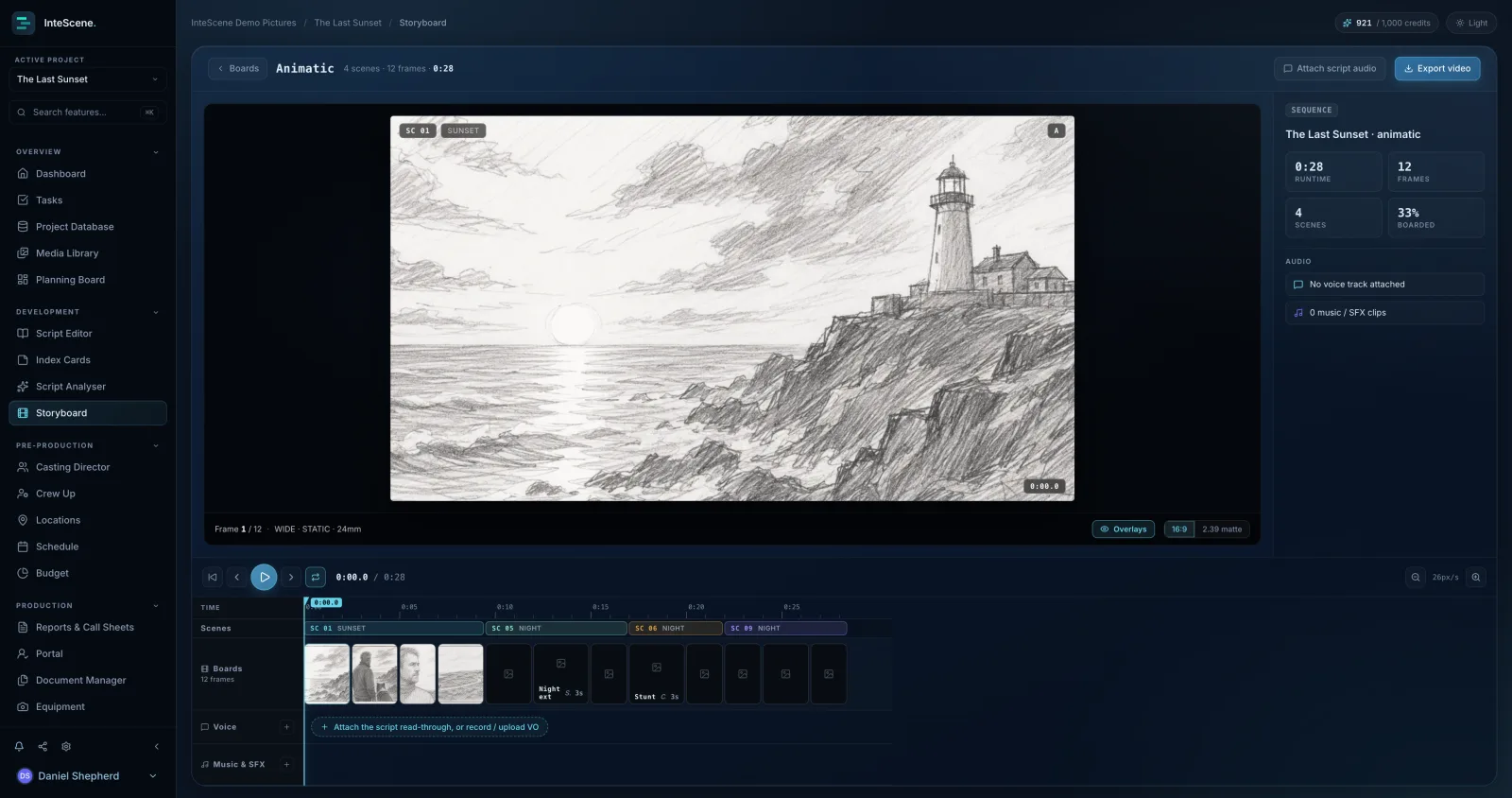
Cut the boards into an animatic on a real timeline: per-frame durations, split at the playhead, a voice lane for the read-through or your scratch VO, and a music and SFX lane with gain and fades. Prove the 30 seconds actually fit before anyone books a crew.
Then the same project runs the shoot.
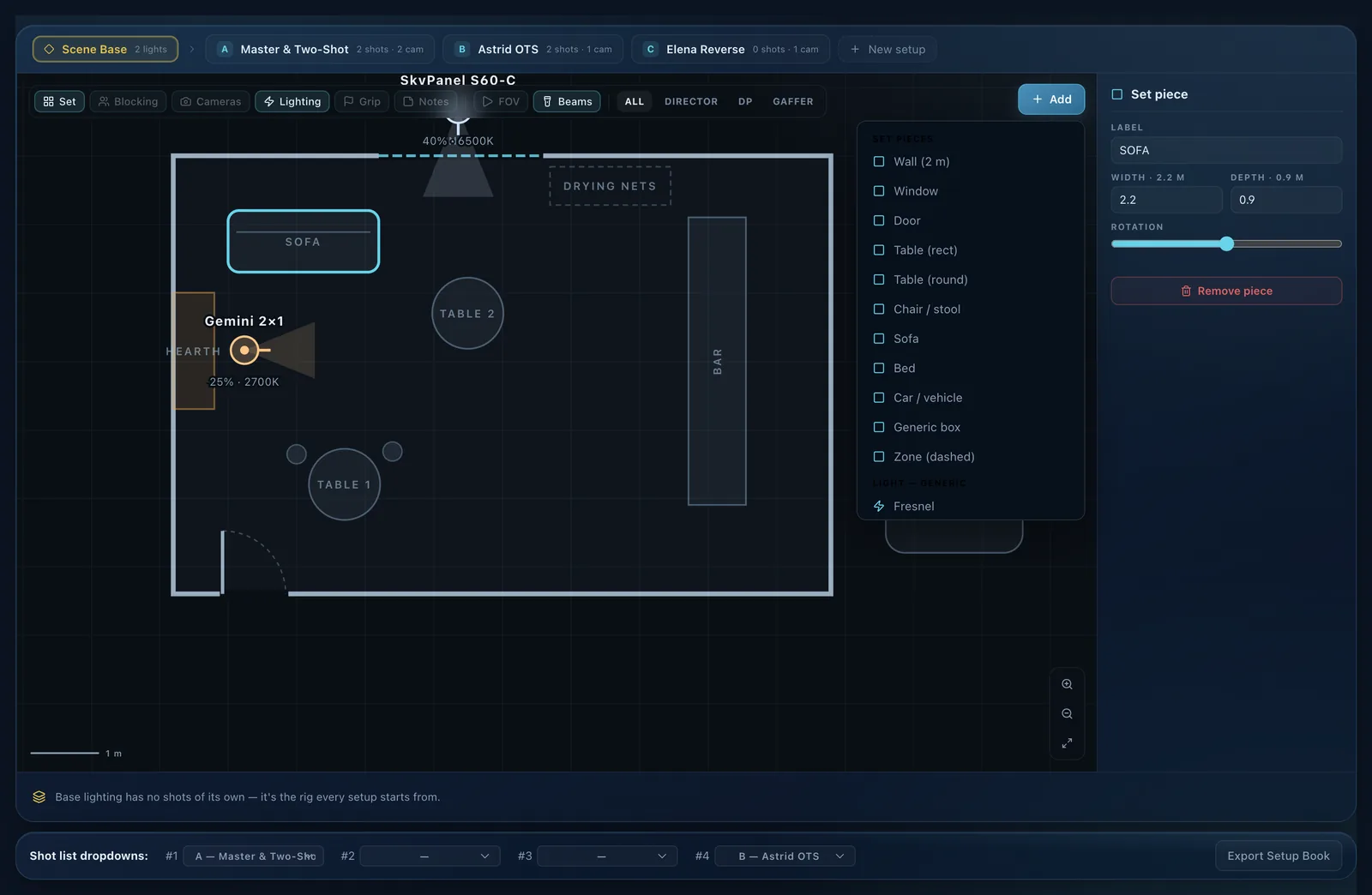
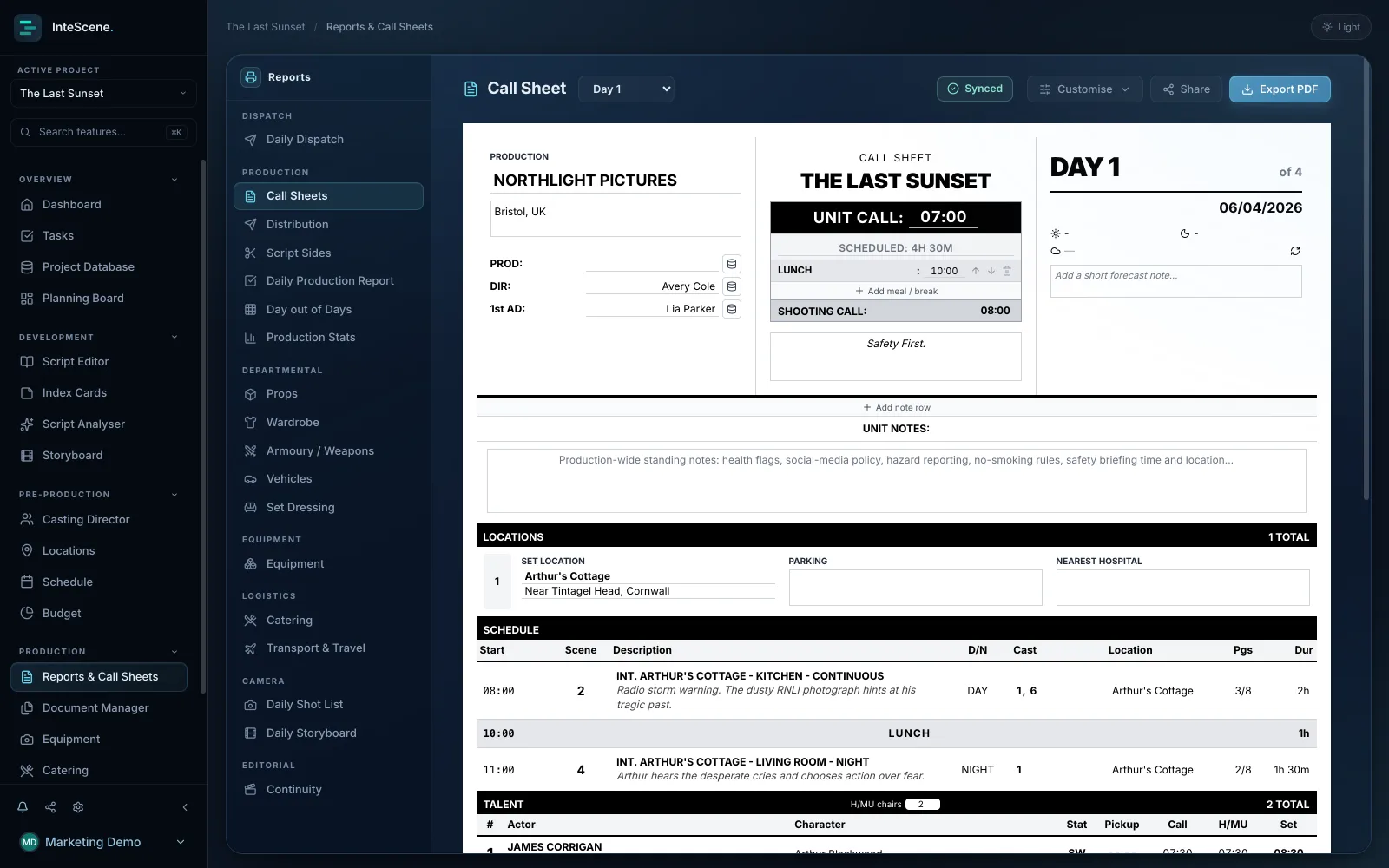
Commercials are productions too. The same workspace carries the breakdown, schedule, call sheets, crew and kit, so the job that started as a two-column script finishes as a wrap report.
Where a spot actually gets stuck
The script is rarely the hard part. What eats an agency job is the round-tripping: a two-column document in a word processor, an animatic in an edit suite, feedback across three email threads, and a PPM deck rebuilt by hand the week before the shoot. Every one of those hand-offs is a chance for someone to approve the wrong version. InteScene keeps the board, the animatic, the review rounds and the book on one dataset, so the version everyone is looking at is the version that exists.
Spot statuses that match how the job runs
Each spot carries a status through Planned, In edit, Review, Approved and Delivered, so a board of cutdowns and alternates reads at a glance. Cutdowns live as their own spots rather than as variants buried in one document, which means a 60, a 30 and a 6-second bumper each keep their own timings, their own review history and their own approval state.
Quick answers
Does it handle music videos too?
Yes. Music videos get their own planner built on a timeline against the track, alongside the two-column A/V boards for commercials. Both feed the same schedule, call sheets and crew tools.
Can clients see the work without an account?
Yes. Clients open a read-only share link, watch the animatic, and leave review notes without a login or a seat; their feedback lands in your review drawer grouped by round. Client review, animatics, watermarked and unbranded exports all come with the Indie plan.
We shoot films as well as spots. Two tools?
One. A/V boards, screenplays and music video plans are project types in the same workspace, sharing the same database, schedule, budget and call sheets. Your production company runs everything in one place, and the client never knows how small the office is.
What do I get on the free plan?
The A/V planner with one spot, free forever, alongside the script editor, breakdowns, index cards, storyboards and shot lists. Unlimited spots, animatics, client review rounds, numbered versions, PPM books and custom watermarks come with Indie at £10/mo billed annually (£12 monthly), with a 14-day free trial and no card required.

Deliver the spot, not the admin.
Made by filmmakers, for filmmakers. Your first spot is free.