A board your DP can shoot from.
An AI storyboard generator that reads your script and drafts coverage you can shoot.
Every frame carries its shot data: size, angle, lens, camera, movement and the kit it needs.
Free plan forever · 14-day free trial on paid plans · No credit card required
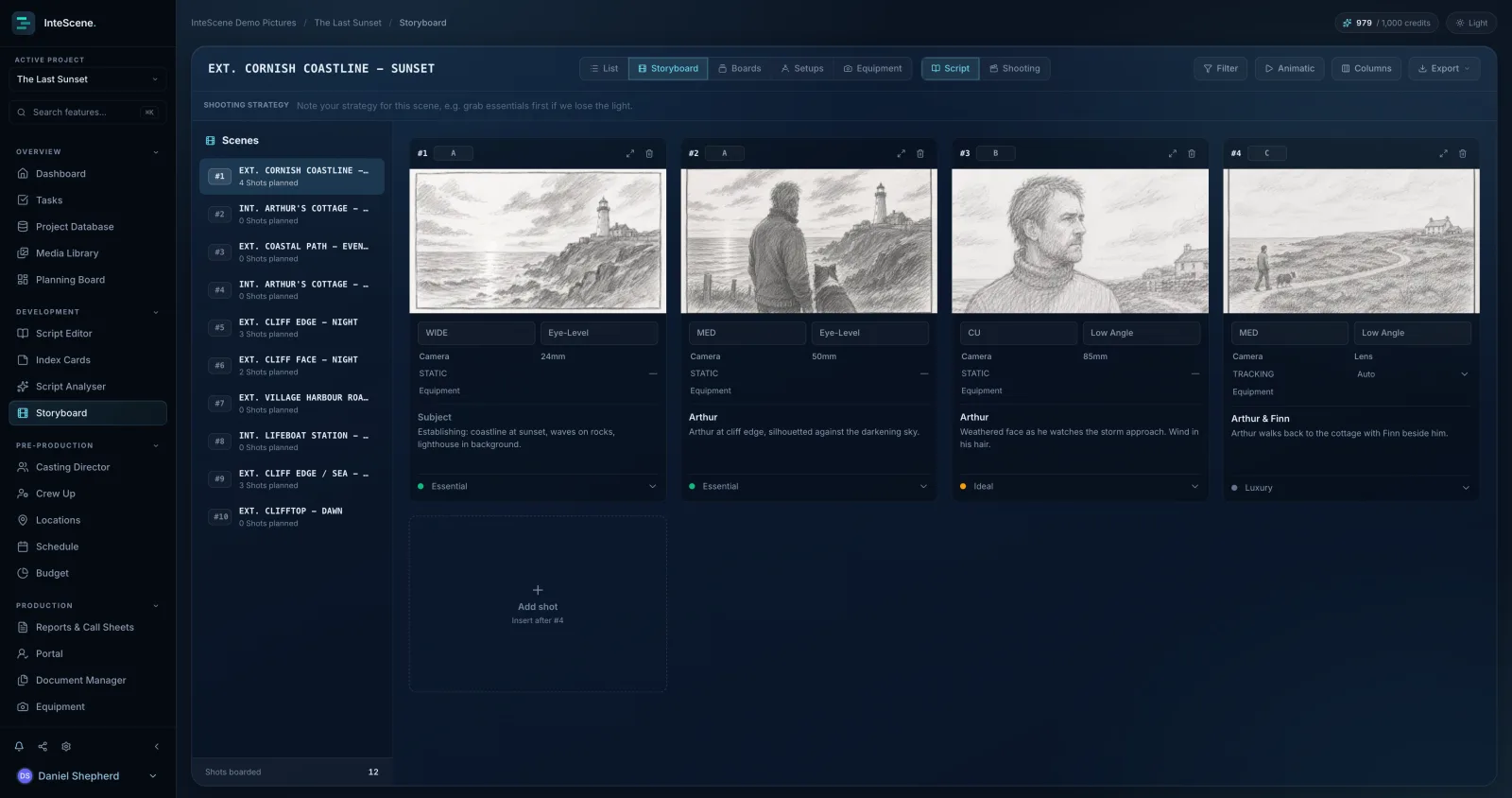
A shot list a DP can read
Camera, lens, angle, movement and equipment live on every shot, with movement arrows drawn on the frame. The board and the shot list are the same data in two views.
Frames that look like your cast
AI sketches frames from your scene descriptions, steered by the character references in your database so faces stay consistent, and shaped by your own composition sketches so the framing stays yours.
Prioritised for the day you lose the light
Tag every shot Essential, Ideal or Luxury and note a shooting strategy per scene. When the schedule tightens, everyone already knows what goes first.
You direct. It drafts.
Storyboarding is a craft. Here is exactly what the AI does, and where it stops.
- Every frame is a draft. Regenerate it, adjust the prompt, or drop your own image straight over the top.
- Cast consistency comes from your own reference photos, matched to the characters in your project breakdown.
- Each suggested shot is tied to the exact line of action or dialogue it covers, and that line highlights in the editor.
- Prefer to board by hand? The whole storyboard tool works without AI. Upload or drag in your own frames, or pick them from your media library, and the shot data, exports and animatics all work the same.
- Your script is not training data.
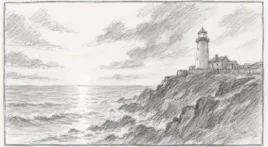
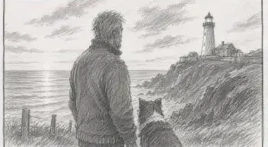
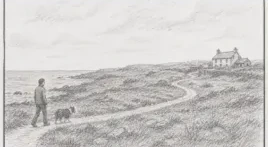
Four frames, four lines of script.
This is one scene of a real project, boarded from its script. Every frame keeps its own shot data, and you choose the drawing style (B&W sketch, colour sketch, cinematic or painterly) and the aspect ratio: widescreen 16:9, standard 4:3, square 1:1 or vertical 9:16.

Plan the setups behind the frames.
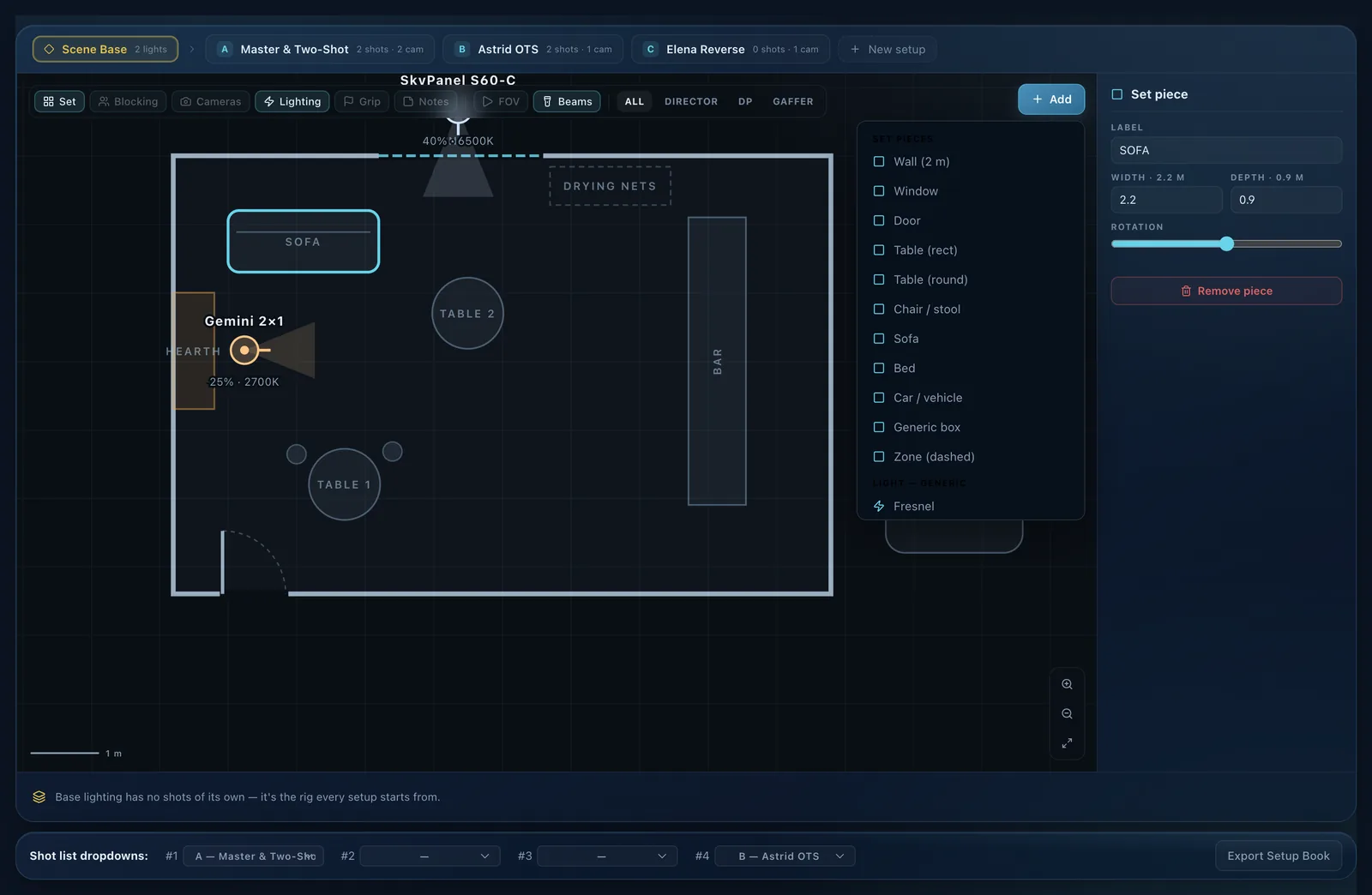
Draw the scene from above: walls, doors and set pieces to scale, camera positions with real lens FOV cones, lights with beam spread, colour temperature and intensity, plus blocking beats. Group your shots into lettered setups (A, B, C) so the day is planned around camera moves. The setup planner comes with the Indie plan.
Every department's view
Filter the same diagram for Director, DP or Gaffer, and toggle Set, Blocking, Cameras, Lighting, Grip and Notes layers so nobody reads a drawing full of someone else's detail.
Lights with real numbers
Place the units you're actually hiring, with percentage and Kelvin on the diagram, so the gaffer reads a rig they can prep from before the truck is loaded.
Export the setup book
Send the whole scene as a setup book: diagrams, the shots each setup covers and the notes attached. The recce decision survives the two weeks before you shoot it.
Play it before you shoot it.
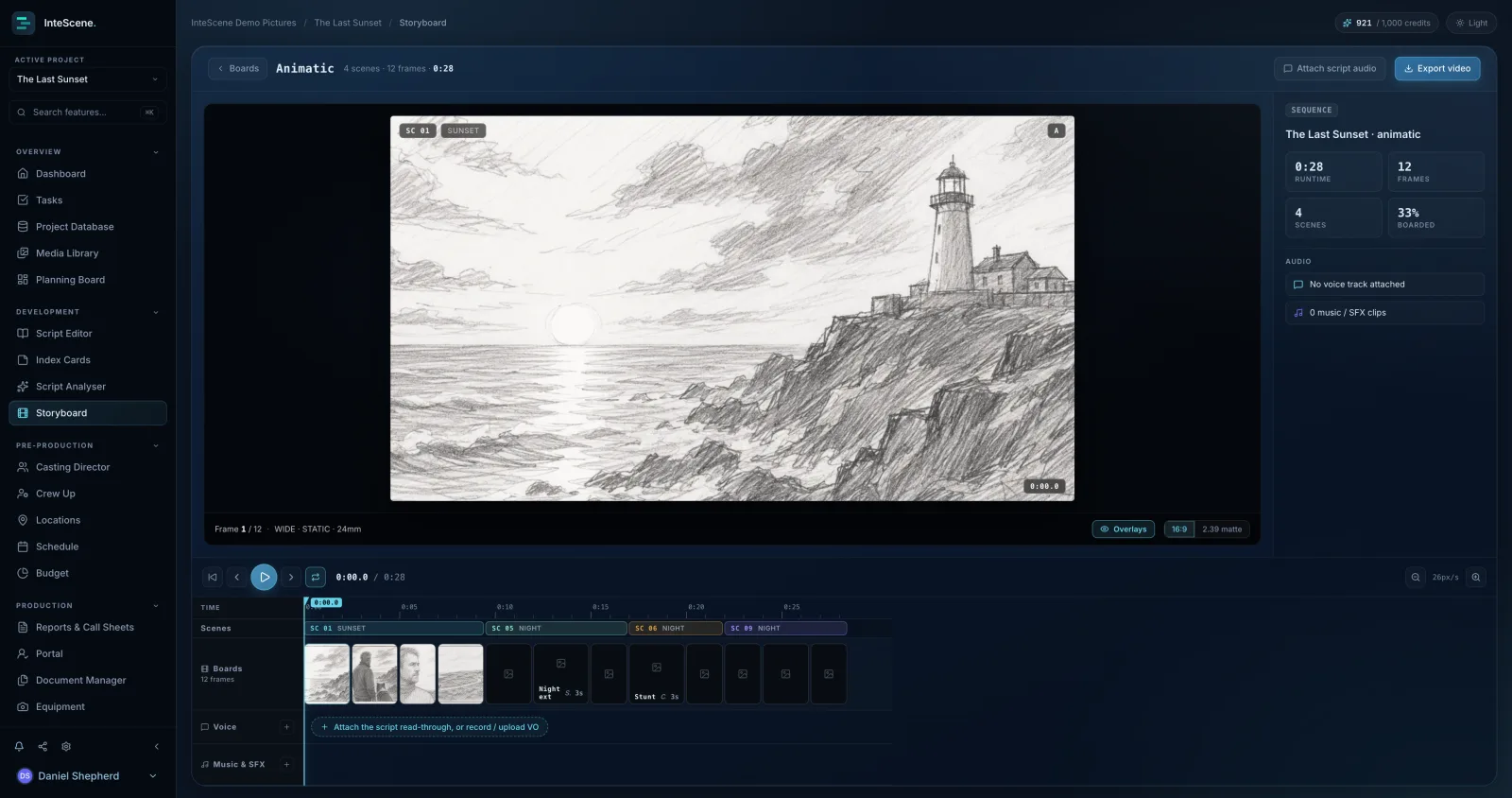
Cut your frames into an animatic on a real timeline: per-frame durations, split at the playhead, scene bands, and separate lanes for voice and music. Attach the script read-through, record a scratch VO or drop in audio, then export the video to share. Animatics come with the Indie plan; storyboards and shot lists are free.
Board a script, or board without one.
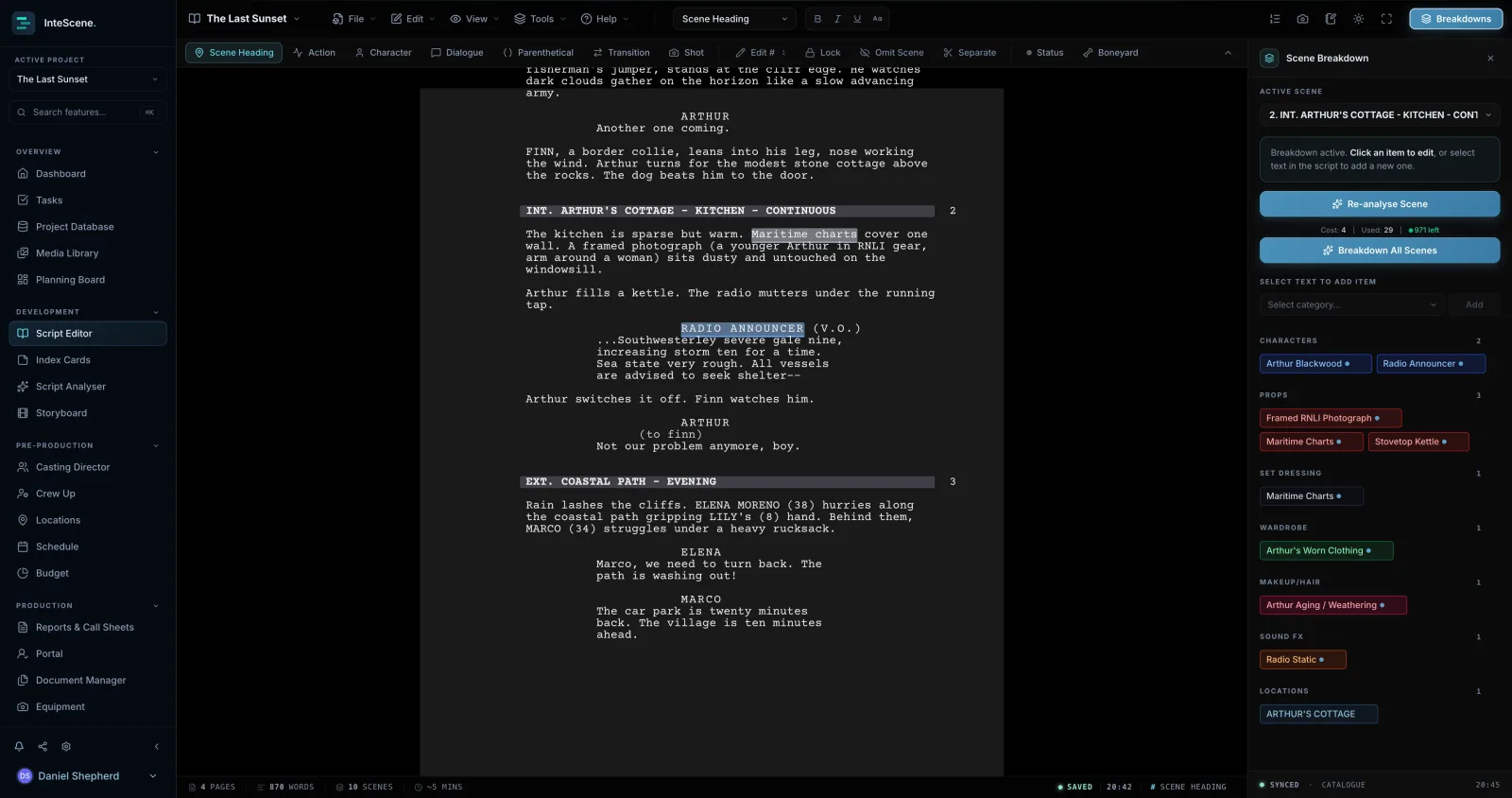
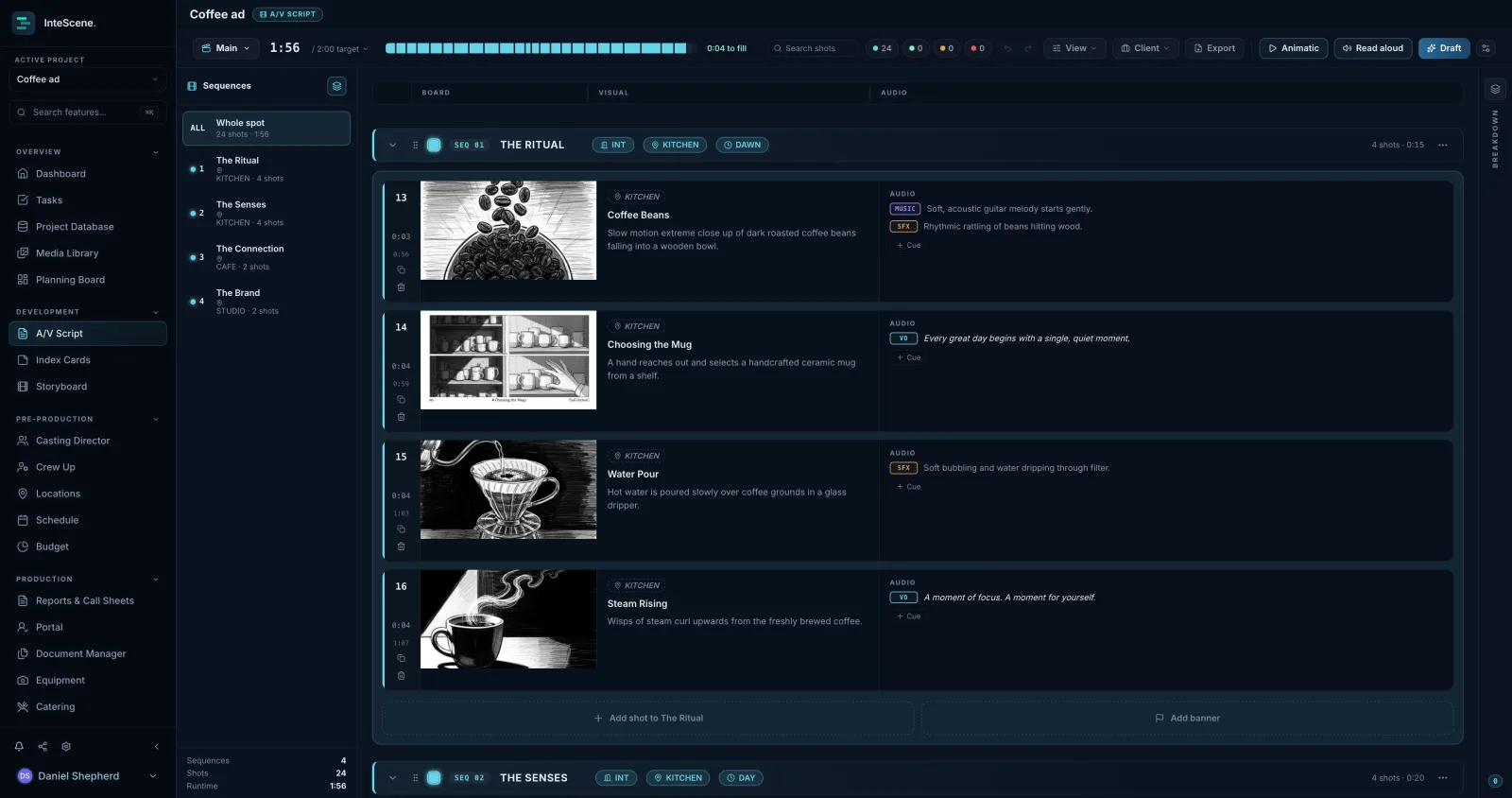
On a scripted project the storyboard reads your script and breakdown, so every shot sits on the scene it covers and inherits that scene's cast, locations and elements. On a commercial or music video, storyboard directly in your A/V script, and still access your setups and equipment in the storyboard tool.
What storyboards and shot lists do
A shot list plans the coverage for a scene, the camera, lens, movement and equipment for each shot, so the editor has enough angles and sizes to cut together. A storyboard turns those shots into visual panels that communicate the director's vision to the team. InteScene lets you build a detailed shot list in a spreadsheet-style List view or a card grid with frame previews, then bring each shot to life as a storyboard frame. New shots start from a usable default (MS, Eye-Level, Static), and you can group shots by camera setup to mirror how scenes actually shoot.
How InteScene's AI storyboards work
Select a scene and the AI, acting as a cinematographer, proposes a full coverage shot list with size, angle, movement, camera, lens, equipment and subject. Every suggested shot is tied to the exact line of action or dialogue it covers, and that line highlights in the script. For images, the AI first reads the scene to understand its setting, mood, characters and key props, then builds each frame from the shot's size, angle and movement. You choose a style (B&W sketch, colour sketch, cinematic or painterly), an aspect ratio (widescreen 16:9, standard 4:3, square 1:1 or vertical 9:16) and a quality tier. Characters are matched from your breakdown and their reference photos are reused, so faces stay consistent across panels and the generated frames look like your actual cast. Generated images are always instructed to contain no text, labels or watermarks, so they read as clean visual references. You can also tag each shot Essential, Ideal or Luxury, shooting-strategy tiers that bake on-set triage into the plan for when the day runs long.
What it replaces
AI storyboards give productions that could never afford a storyboard artist a way to see their coverage. Directors and indie filmmakers get usable visual panels for every shot without hiring an illustrator or learning to draw, and a full shot-list planner takes over the blank-page chore of building coverage by hand. Because the shot list and storyboard read from the same project, shots feed the Camera report and the day's storyboard, and live Storyboard shot cards appear on the Planning Board, so the visual plan stays tied to the real production.
Everything you need to board a scene and hand a shot list to a DP.
- Storyboards and shot lists
- Camera, lens, angle, movement and equipment on every shot
- AI shot lists and AI frames on your monthly credits
- Shooting-strategy tiers and scene shooting strategy
Adds the pre-production layer around the board.
- Everything in Free
- Setup planner: floorplans, blocking and the Setup Book
- Animatics with voice and music lanes
- Client review and unbranded exports
14-day free trial on paid plans. No credit card required.
Quick answers
What is an AI storyboard generator?
An AI storyboard generator turns a written scene into visual panels, so a director can see the coverage before the shoot. InteScene reads the scene you select from your own script, proposes a shot list with size, angle, lens and movement, and draws a frame for each shot in the style and aspect ratio you choose. Every frame is a draft you can regenerate, refine or replace with your own image.
Can AI create a storyboard from my script?
Yes. Import or write your script in InteScene, pick a scene, and the AI reads that scene's action, dialogue, characters and props before proposing coverage and drawing the frames. It works from the script itself, so each shot stays tied to the line of action or dialogue it covers, and characters are drawn from the reference photos in your breakdown.
How do AI storyboards work?
In InteScene you select a scene and the AI proposes a full coverage shot list, then generates a storyboard image for any shot. The AI first reads the scene to understand its setting, mood, characters and key props, then builds each frame from the shot's size, angle and movement. You choose a style, aspect ratio and quality tier, and every result is a suggestion you can keep, regenerate or refine.
Will the storyboard frames match my actual cast?
Yes. Characters are matched from your breakdown and their reference photos are reused when generating frames, so faces stay consistent across panels and the storyboards actually look like your cast. Generated images are always instructed to contain no text, labels or watermarks so they read as clean visual references.
Can the AI build a shot list for me?
Yes. Select a scene and the AI, acting as a cinematographer, proposes a full coverage shot list with size, angle, movement, camera, lens, equipment and subject. Each suggested shot is tied to the exact line of action or dialogue it covers, and that line highlights in the script so you can see what each shot covers.
What are shooting-strategy tiers?
Shooting-strategy tiers let you tag each shot Essential, Ideal or Luxury, so the assistant director knows the must-gets when the day runs long or the light goes. They bake on-set triage directly into the plan, and shots can be grouped by camera setup to mirror how scenes actually shoot.
How does it keep characters consistent between frames?
Consistency comes from your project. Characters are matched from your breakdown and the reference photos you have added to them are passed in with every frame, so the same face is drawn across the scene. If a frame drifts, add a clearer reference photo and regenerate it, or upload your own image for that shot and leave the rest of the board untouched.
Will AI storyboards replace a storyboard artist?
No. It gives you a first pass to react to. Most productions that use this were never going to hire an illustrator, and the ones that do can hand an artist drafted frames to work over: the board is fully editable, any frame can be redrawn, and you can upload finished artwork in place of a generated frame while keeping the shot data, the setups and the animatic around it.
Do I have to use the AI?
No. The whole storyboard tool works without it. You can add shots by hand, upload or drag your own frames onto them, or pick images from your media library, and the shot data, movement arrows, setup planner, exports and animatics all behave the same. Accounts can also switch AI features off in profile settings, which removes the AI actions from the interface altogether.

See every shot before you shoot it.
Made by filmmakers, for filmmakers. Storyboards and shot lists are free to start.